Product

One operation, without the paper chase

Cebric brings worker records, project documents, signatures, safety records and expenses into the same workflow.

Documents and accreditation

Document control

Documents organized by worker, company and project, with history and a clear status for the team.

  • Spend less time searching through emails and shared folders.
  • See document requirements for each project and client.
  • Keep a version history to understand what changed and when.
See how it works
Jorge Lagos profile: one available document, missing identity and PPE records, and a base contract waiting to be uploaded

The base contract is missing. Upload it from the profile and see which other files still need to be added.
Team and employment documents

People and contracts

One profile per person for data, contracts, documents and project assignments.

  • One source for worker data and documents.
  • Bulk import from PDF, Excel or CSV.
  • Less data entry when generating contracts and amendments.
See how it works
Jorge Lagos worker profile with one available document and missing identity, PPE and contract records

Open a profile and see which document is available and which records are still missing.

Sign without printing or scanning

Simple electronic signature

Simple electronic signature for users, workers and, from Basic, external signers.

  • Avoid printing, arranging an in-person signature and scanning the result.
  • See pending and signed documents in one inbox.
  • Keep process evidence and a verifiable final PDF.
See how it works
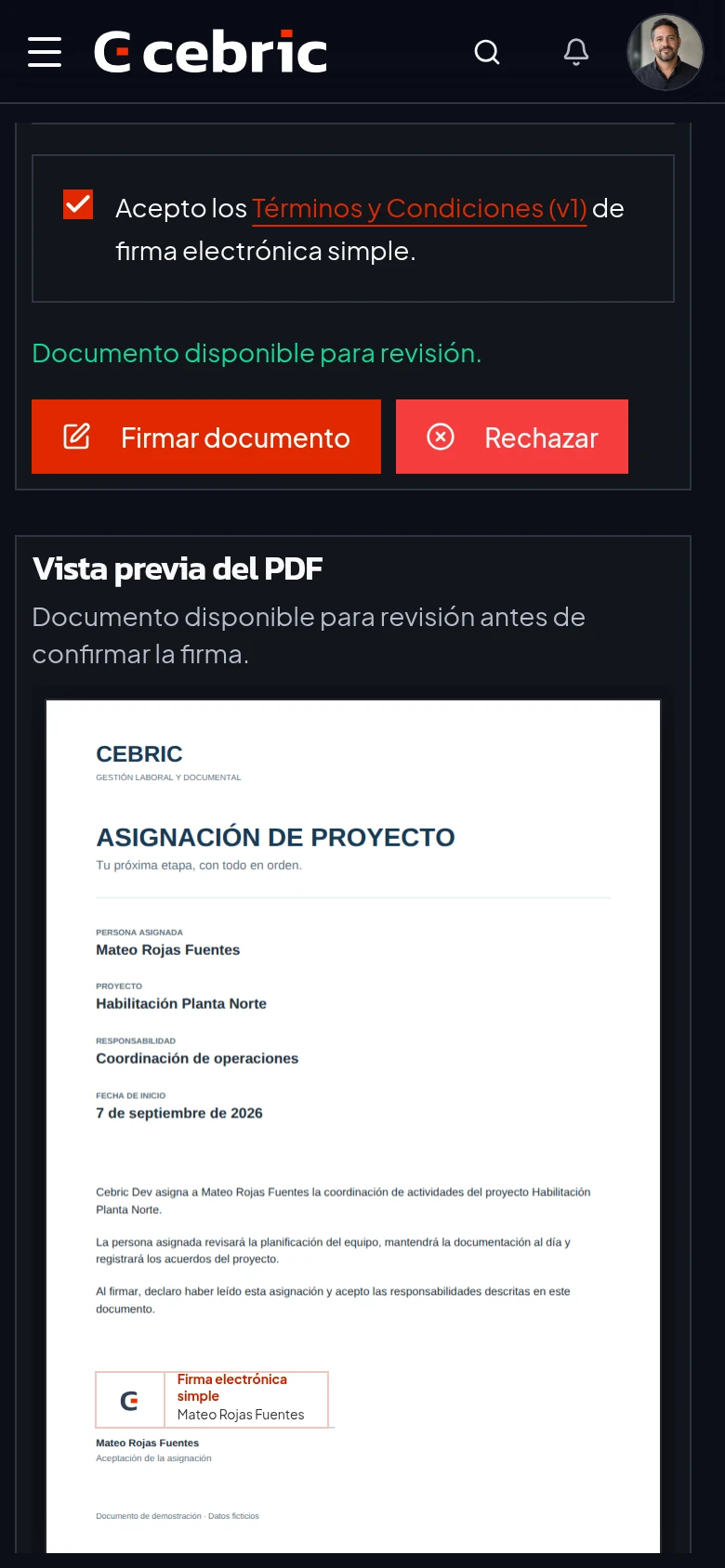
Mateo reviews a project assignment on a phone with consent checked and the Sign document button enabled

Document open, consent checked. Ready to confirm the signature.

Prevention and document records

OHS, PPE and safe work procedures

Digital PPE and safe work procedure records linked to workers and projects.

  • Fewer printed forms in storage and on site.
  • Worker-level records for deliveries and procedures.
  • Clear status for pending signatures and completed records.
See how it works
Draft PPE delivery for Jorge Lagos with four items, quantities and sizes, ready to send for signature

The delivery records each person’s items, quantities and sizes. Next step: send it for signature.

AI expense reports

Expenses and suppliers

Less typing. Every expense backed by its receipt.

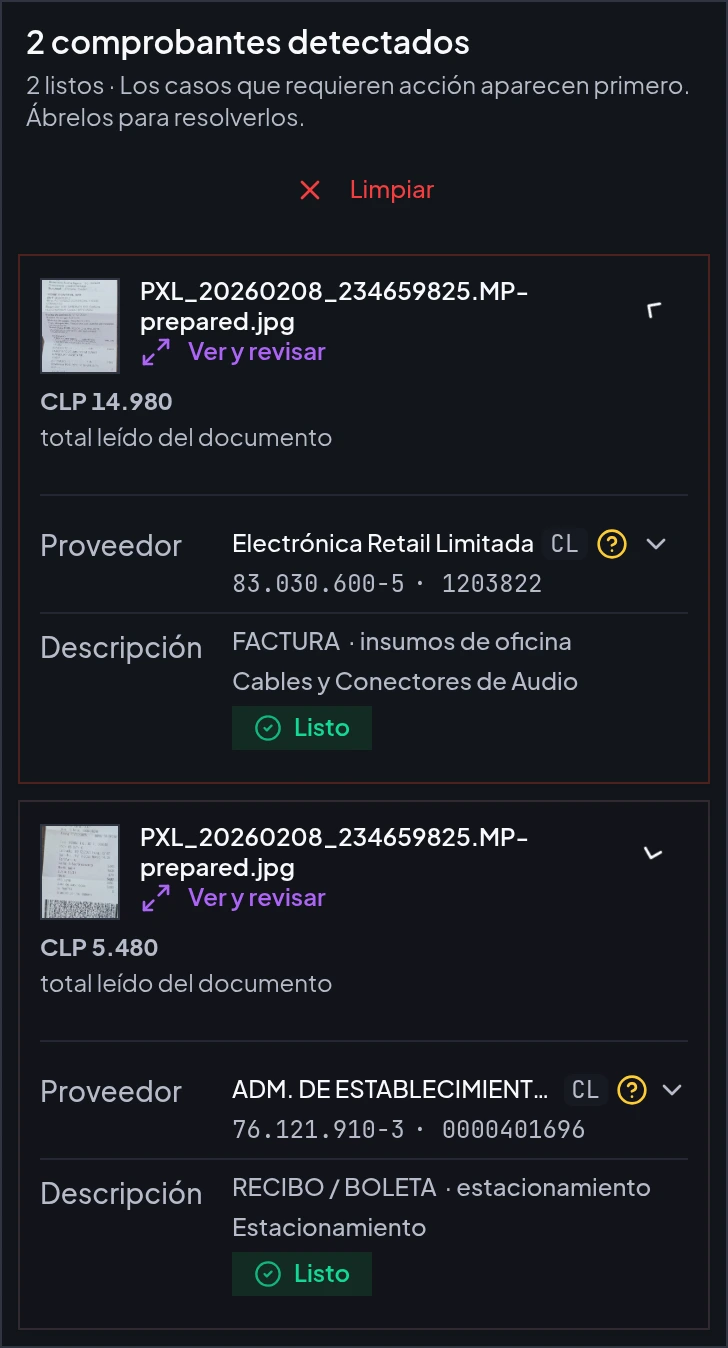
  • Several receipts in one photo: AI separates them and reads suppliers, dates, amounts and line items.
  • Crossed-out lines or items marked with an X: recognizes the items you will leave out.
  • A handwritten amount: distinguishes the reimbursement amount from the printed total.
See how it works
Cebric smart upload: two detected receipts, totals of CLP 14,980 and CLP 5,480, with reviewed suppliers and categories

One photo, two separate receipts. Data read by AI and reviewed before saving.

Document generation

Word templates

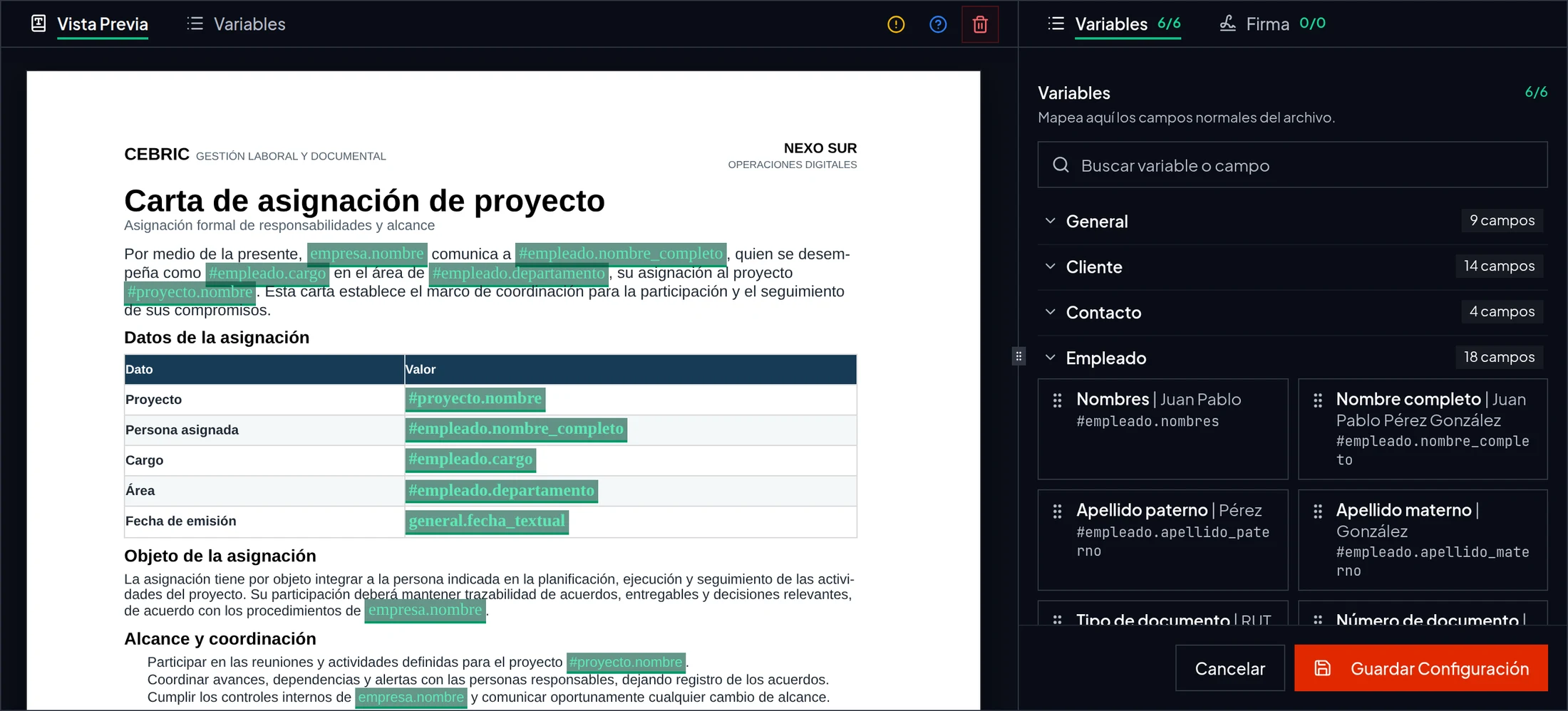
Word templates with variables for generating documents without copying and pasting data.

  • Keep the design and format of your current documents.
  • Reduce errors when copying names, tax IDs, dates and roles.
  • Generate and send for signature in the same flow.
See how it works
Dark Word template editor with six variables linked to company, worker and project data

Your Word letter, with the fields that change connected to cebric.

Start with the part that creates the most paperwork

Explore is a permanent free plan. Move to a paid plan when your operation needs more capacity.

Product screenshot