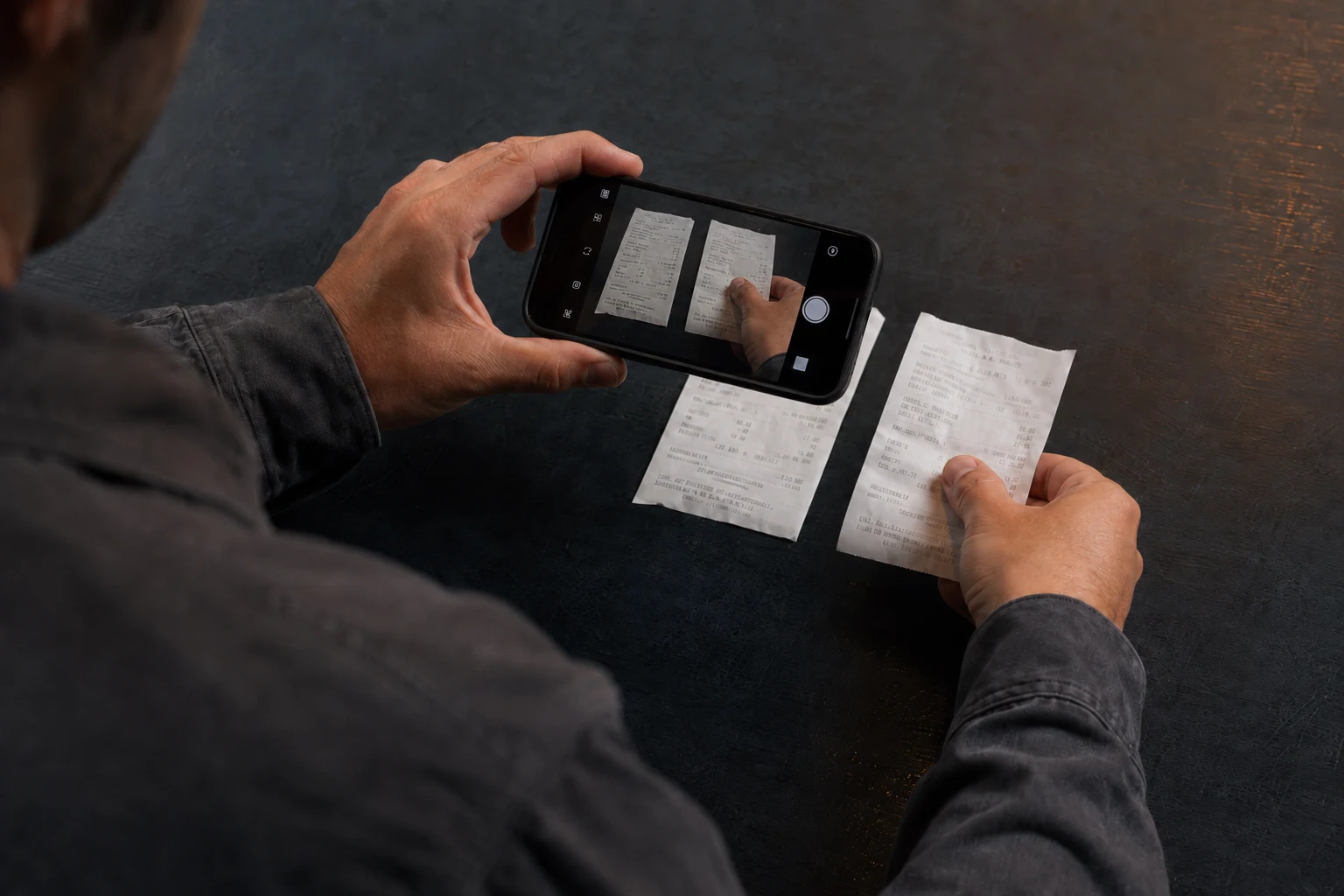
Upload photos or PDFs from your phone. Cebric separates receipts, reads their data and suggests categories automatically, including crossed-out items and handwritten amounts.
On your computer and phone. In your browser, with an internet connection.
Explore: permanent free plan, with defined limits.
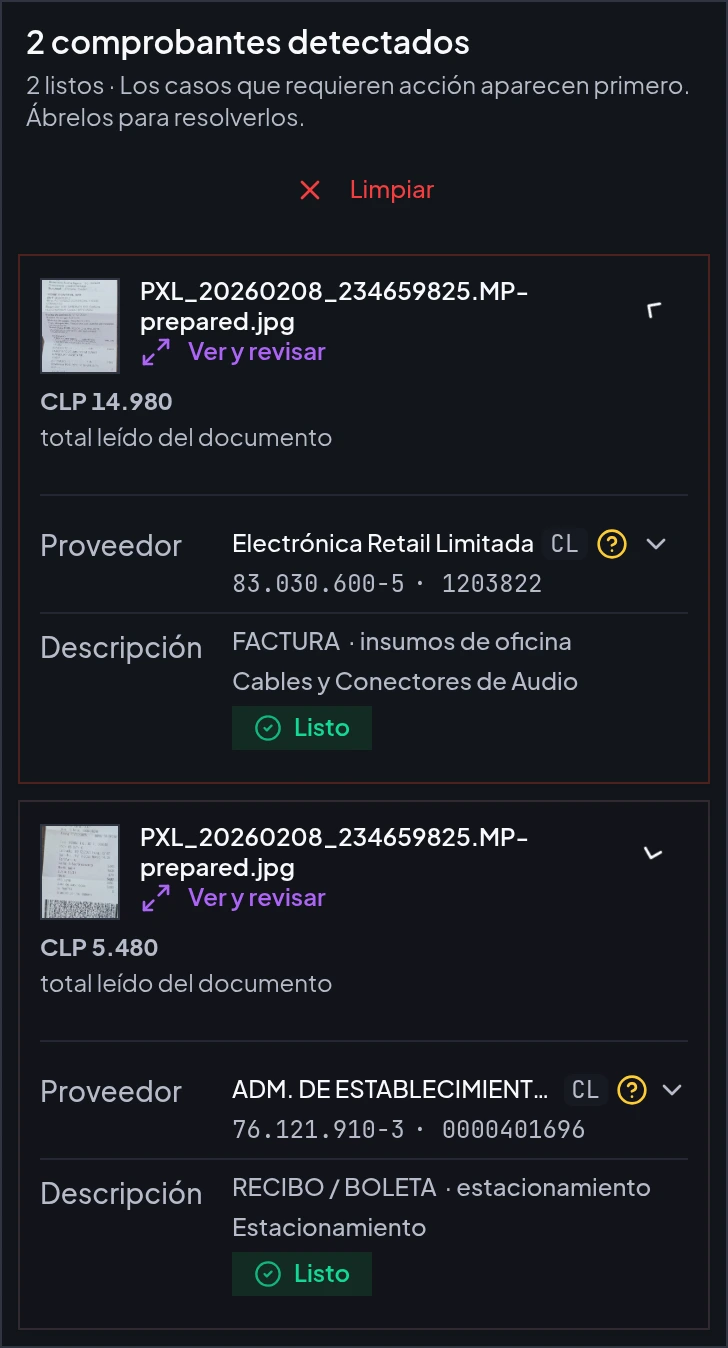
Real product screenshot · Example data · Interface in Spanish
One photo, two separate receipts. Data read by AI and reviewed before saving.
How does AI expense reporting work?
AI expense reporting turns receipt photos or PDFs into a proposal that a person reviews before submitting. In cebric, contractors and field teams can upload several receipts, separate individual receipts from one image and review suppliers, dates, amounts and line items. Each expense retains its supporting document and can be linked to a project. Unclear data needs review; marks and handwritten annotations need to be legible for the reading to be useful.
An example in the product
The screenshot shows two example receipts: CLP 14,980 and CLP 5,480. If both are reimbursed in full, they total CLP 20,460. Confirm each amount against its receipt and check which items should be reimbursed before submitting.
Scope and requirements
The public SII lookup checks the supplier’s tax ID and legal name. The company remains responsible for tax and accounting review. Advanced preapproval and approval flows are available from Growth.
Verify your email and set up your company workspace. Explore is a permanent free plan with defined limits.
02
Prepare one real task
Have a worker document or a receipt photo ready. Start with the process you need today.
03
Review and complete the task
Check a document and send it for signature, or review the extracted receipt data before submitting an expense.
Common questions
Can AI read crossed-out items and handwritten amounts?+
Yes. It is designed to exclude crossed-out lines or items marked with an X and recognize handwritten reimbursement amounts and corrected quantities. Marks must be legible. Review the proposal before submitting; you can correct both data and line items.
Do I need to photograph each receipt separately?+
No. Include several receipts in the same image. AI detects and separates them for individual review.
What does cebric check with SII?+
It queries a public SII source to validate the Chilean tax ID and compare the supplier legal name. It does not replace tax or accounting review.
Do all plans include advanced approval flows?+
No. Advanced preapproval and approval flows are available from Growth.
Can I start without a paid plan?+
Yes. Explore is a permanent free plan with defined limits. It uses the actual product, not a demo that expires after a few days.
Can I use Cebric without internet?+
No. Cebric requires an internet connection. You can take photos with your phone camera and upload them once you are online. Photos do not sync automatically, and upload, AI analysis and signing require a connection.
What do I need to get started?+
Create your account, verify your email and set up your company workspace. Have a worker document or receipt photo ready to complete your first task. Setup time depends on the information and processes you need to configure.
Your privacy matters
If you accept, we use analytics cookies to improve the site and link your visit to signup and activation in the app while its analytics preference is enabled. We do not use advertising cookies. Read Privacy Policy.