Sign without printing or scanning
Sign from wherever you are
Sign contracts, amendments, acknowledgements and operational documents from a phone. Cebric records the process and keeps the final document.
On your computer and phone. In your browser, with an internet connection.
Explore: permanent free plan, with defined limits.
Real product screenshot · Example data · Interface in Spanish
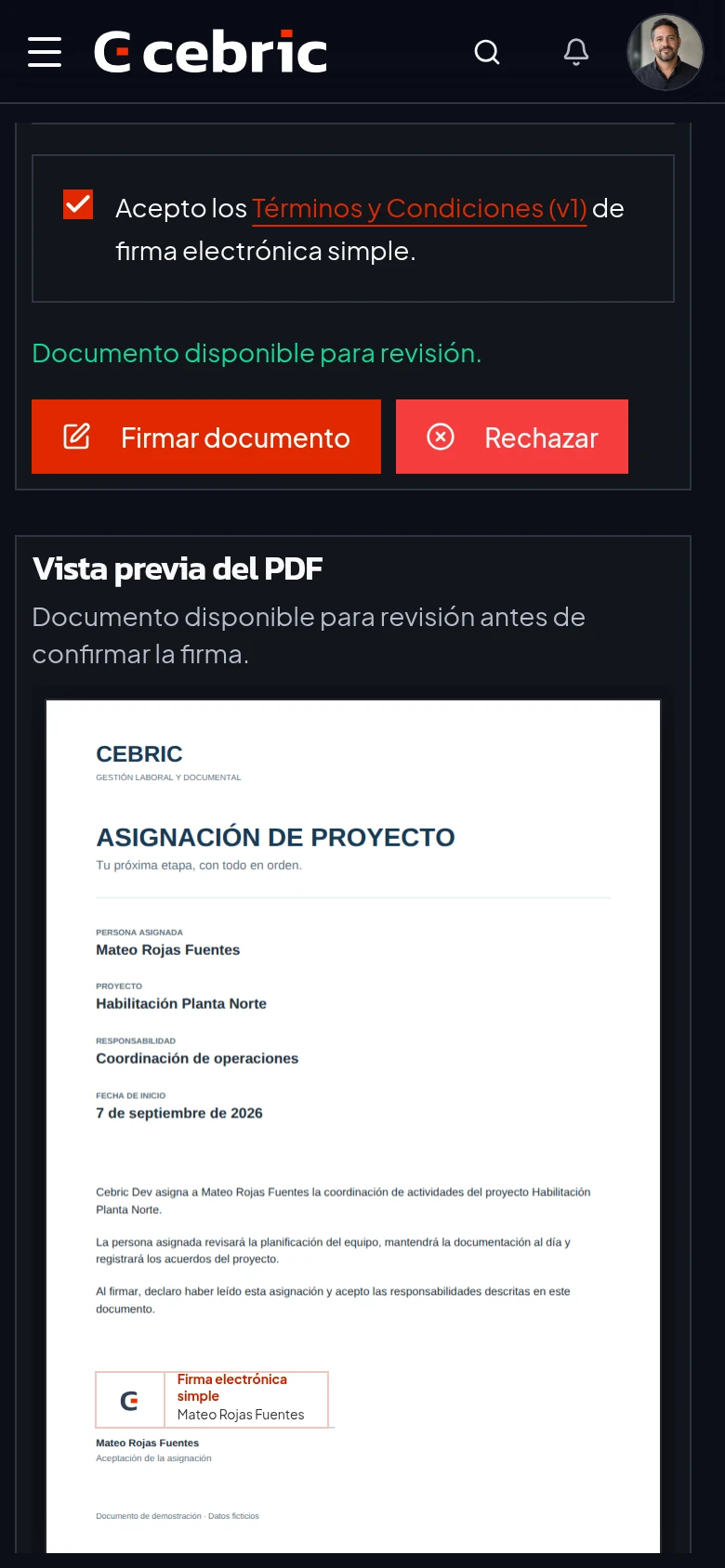
Document open, consent checked. Ready to confirm the signature.
What electronic signature does cebric provide?
cebric provides simple electronic signatures for company and field team operational documents. Users, workers and, from Basic, external signers can receive a file, review it and sign it in their phone’s browser. The platform retains the final document and process history. In Chile, Law 19.799 governs electronic documents and distinguishes electronic signatures from advanced electronic signatures. The act, its formal requirements and the available evidence determine which signature is sufficient.
An example in the product
In the screenshot, Mateo reviews a project assignment and gives consent before confirming the signature. The team can then consult the document and process record. The flow uses example data.
Scope and requirements
cebric provides simple signatures. Where a procedure requires an advanced signature or a special formality, check that requirement and use the appropriate service.
- Law 19.799: Articles 2, 3 and 5 (BCN, Spanish)
- What distinguishes advanced electronic signatures
- What a validation QR code lets you check
Updated by cebric ·
What changes in practice
Simple electronic signature for users, workers and, from Basic, external signers.
- 01Avoid printing, arranging an in-person signature and scanning the result.
- 02See pending and signed documents in one inbox.
- 03Keep process evidence and a verifiable final PDF.
What is included
- Simple electronic signature
- Mobile signing
- Internal signers and workers
- External signers from Basic
- Process history
- Final document verification
A simple workflow
From the task to the record, in three steps
- 01
Choose the document
Select an existing file or generate one from a template.
- 02
Choose the signers
Send it to users, workers or external signers, depending on the plan.
- 03
Keep the result
The signed document remains available with its process history.
Your first task
Start with one document.Or one receipt.
Try the workflow with your own information before moving the rest of your operation.
Browser-based. Internet connection required.
Create your account
Verify your email and set up your company workspace. Explore is a permanent free plan with defined limits.
Prepare one real task
Have a worker document or a receipt photo ready. Start with the process you need today.
Review and complete the task
Check a document and send it for signature, or review the extracted receipt data before submitting an expense.
Common questions
Does cebric provide advanced electronic signatures?+
No. Cebric provides simple electronic signatures. Legal sufficiency depends on the act, its formalities and the available evidence.
Can workers sign from a phone?+
Yes. The flow lets them review and sign without a desktop application.
Can I start without a paid plan?+
Yes. Explore is a permanent free plan with defined limits. It uses the actual product, not a demo that expires after a few days.
Can I use Cebric without internet?+
No. Cebric requires an internet connection. You can take photos with your phone camera and upload them once you are online. Photos do not sync automatically, and upload, AI analysis and signing require a connection.
What do I need to get started?+
Create your account, verify your email and set up your company workspace. Have a worker document or receipt photo ready to complete your first task. Setup time depends on the information and processes you need to configure.
